


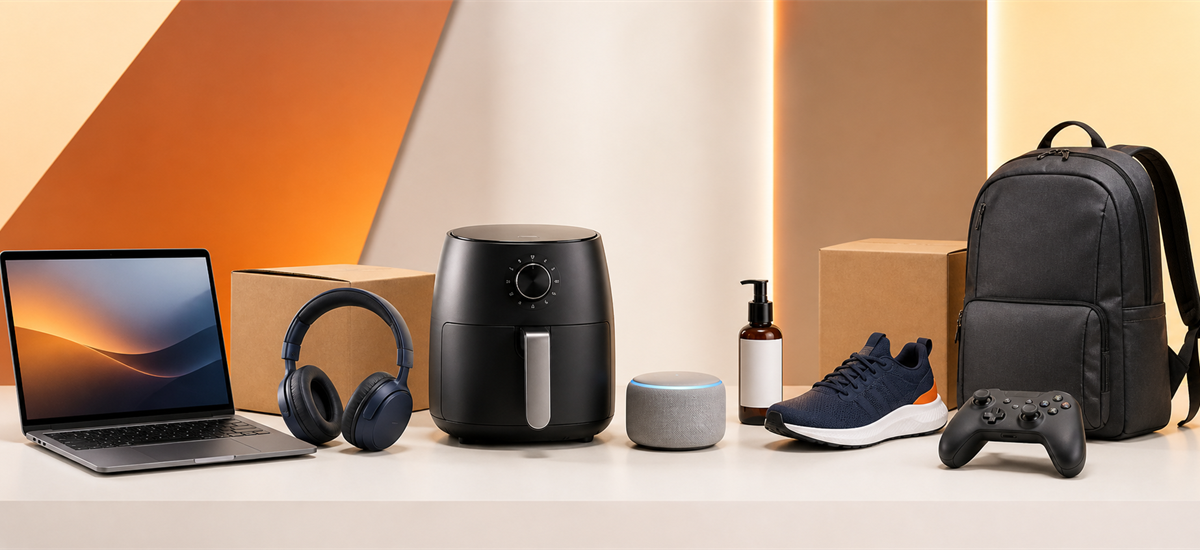
Eight useful sections on Amazon's official Today's Deals page, plus the checks that help separate a promising discount from a poor fit.
Amazon's Today's Deals page can be noisy because short-running offers, category promotions, price filters, and overstock sections appear together. The practical way to use it is to begin with the section that matches your shopping goal, then verify the exact listing before checkout.
This guide covers eight deal sections visible on Amazon's official US Deals page during our August 18 review. It does not quote individual product prices because those amounts can vary by seller, variation, delivery location, and time. For more savings context, compare the live page with Zouton's Amazon coupons and offers page.
Eight Amazon deal sections worth checking
The labels below were taken from Amazon's official Deals experience on the verification date. A section label describes the lane, not every item inside it, so shoppers should still review the live listing.
Lightning Deals Over 50% Off
Amazon labels this section for short-running offers with discounts over 50%. Treat the countdown as a reason to verify, not a reason to rush. Check the exact seller, variation, delivery date, and final checkout total before committing.
Smart check: Open the product page in a second tab so you can compare the deal price with the selected size or configuration.
Open This Official Amazon SectionHome Deals at 25% Off or More
This official lane groups home offers at 25% off or more. It is useful for broad discovery, but percentage savings alone do not show durability, dimensions, or whether a multipack is actually cheaper per unit.
Smart check: Compare measurements and unit counts first, then read recent reviews for assembly, fit, and material quality.
Open This Official Amazon SectionElectronics Deals Over 25% Off
Amazon's electronics lane highlights offers above 25% off. Model numbers matter more than the headline discount here because older generations, storage options, and renewed listings can sit beside current products.
Smart check: Match the complete model number against the manufacturer's specification page and confirm the warranty seller.
Open This Official Amazon SectionBeauty Deals Under $25
The current beauty lane focuses on products under $25. Use the filter as a budget starting point, then verify size, shade, ingredient list, seller identity, and any subscribe-and-save condition attached to the displayed amount.
Smart check: Compare ounces or milliliters instead of package size, and avoid assuming every variation carries the same offer.
Open This Official Amazon SectionFitness Deals Under $20
Amazon currently surfaces a fitness section under $20. This can be practical for small accessories and replacement gear, while material quality, resistance level, weight limits, and dimensions still need a product-page check.
Smart check: Prioritize specifications and safety information over review volume, especially for load-bearing accessories.
Open This Official Amazon SectionLaptop Deals Starting at $250
The official Deals page currently promotes laptops starting at $250. The entry price is a discovery cue, not a promise that every listed laptop costs that amount. Processor generation, memory, storage, display, and operating system determine value.
Smart check: Write down the minimum RAM, storage, screen size, and ports you need before comparing the visible offers.
Open This Official Amazon SectionWellness Deals Under $10
Amazon's wellness lane highlights options under $10. Confirm the exact quantity, expiration information when relevant, seller, and whether the price depends on a subscription or clipped coupon before adding an item to your cart.
Smart check: Treat health claims cautiously and use product labels or professional guidance for suitability questions.
Open This Official Amazon SectionAmazon Outlet
The Outlet lane collects overstock and marked-down inventory. It can reveal useful category bargains, but condition, seller, return eligibility, and the exact product version should be checked separately for every listing.
Smart check: Do not confuse Amazon Outlet with used or open-box inventory; read the condition and seller fields on the listing.
Open This Official Amazon SectionA five-point check before you buy
Confirm model number, size, color, quantity, and condition. A discount can apply to only one variation.
Check who sells and ships the item, along with the warranty and support path.
Look for clipped coupons, subscriptions, memberships, trade-ins, or minimum quantities.
A lower price may not help if delivery timing or return eligibility does not fit your needs.
Taxes, shipping, selected options, and removed coupons can change the checkout amount.
How to compare Amazon deal claims
A large percentage badge is not enough on its own. Compare the current listing with the exact configuration you intended to buy. For electronics, use the model number. For beauty and wellness products, compare unit size and quantity. For home and fitness products, check dimensions, materials, and load limits.
Also separate category language from product language. A lane such as “laptops starting at $250” means at least part of the section begins near that amount; it does not mean every laptop in the section is priced at $250. The same caution applies to “under” and “over” filters when products have multiple variations.
When to wait instead of checking out
Pause when the seller is unfamiliar, the selected variation changes the displayed price, the delivery estimate is too late, or the return terms are unclear. A deal can also be poor value when it bundles more units than you need or promotes an older model that will lose support sooner.
Lightning Deals add a timer, but the timer should not replace product research. If you cannot confirm the exact model, condition, and total in time, waiting is usually better than accepting a mismatch.
Official sources
Amazon deal-page labels and section destinations were checked on August 18, 2026. Amazon can update or reorder these sections without notice.






 Doordashdriver
  Nordstorm
  Amazon
  Walmart
  Booking com
  Paramount Plus
  Mack Weldon
  Lenovo